Volume profile
- VPVR (Alt+O): the profile of the visible stretch, on the right side; it updates as you scroll.
- Session profile (SVP): one profile per day, week, month or year (by default chosen from the timeframe), with POC and value area.
- Fixed range: the drawing tool between two dates you choose.
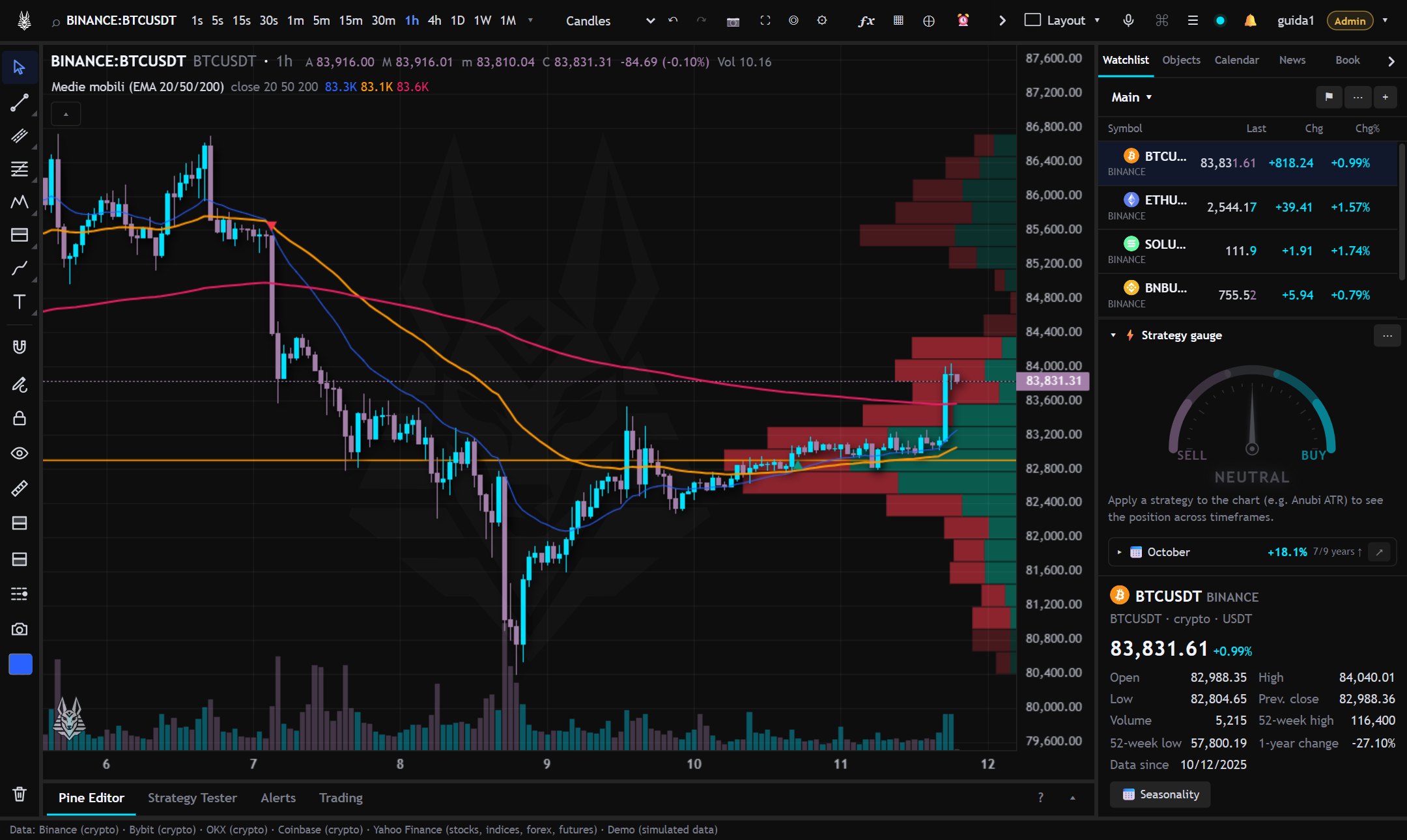
VPVR and SVP are turned on from the palette (Ctrl+K) or from the chart settings.
3D Footprint
From the chart type menu, “3D” group. A three-dimensional view appears over the chart: for each bar a brick per price level, buys on the right and sells on the left, depth is the volume. The POC is yellow, the candle at the bottom and the delta below.
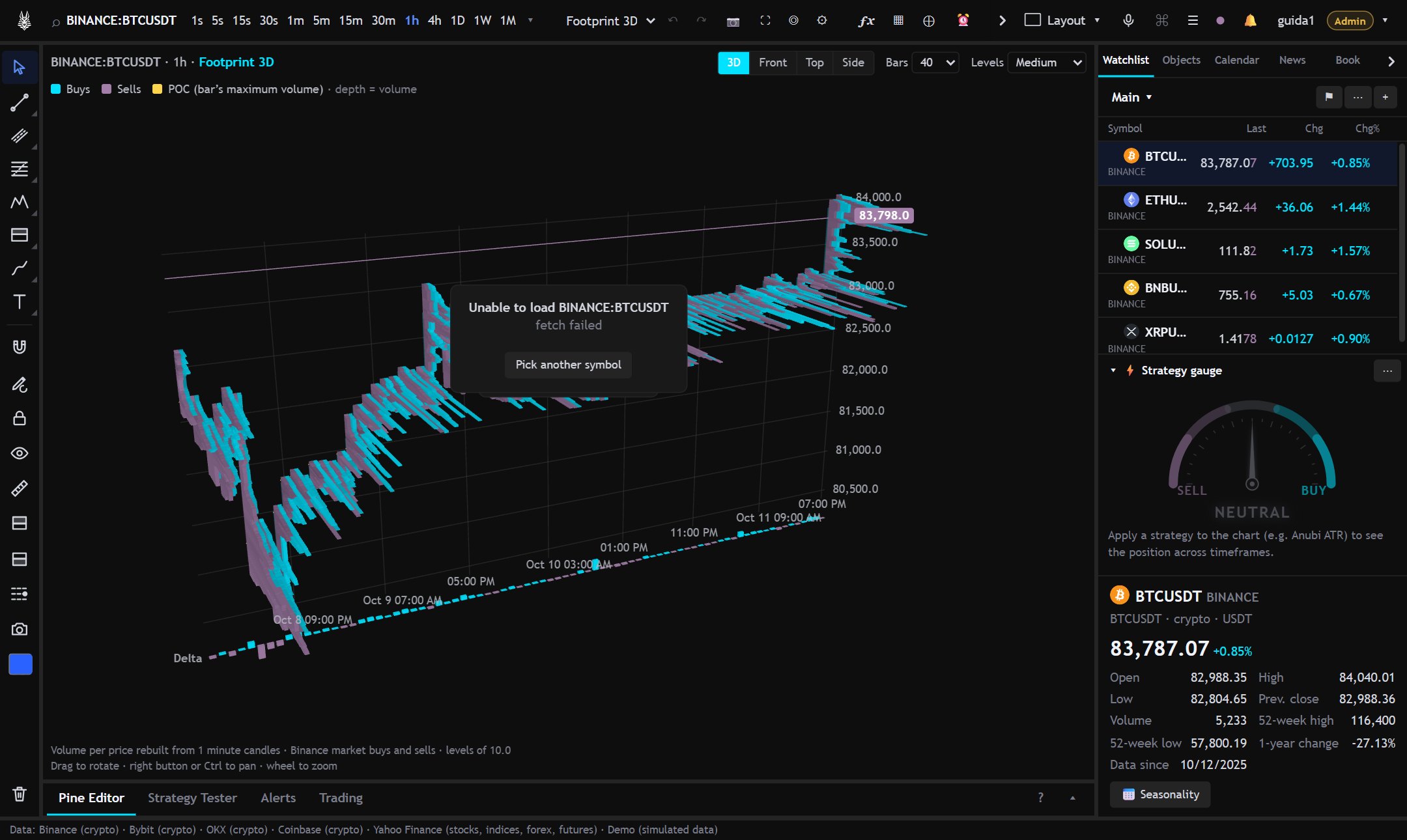
- Views: 3D, Front, Top, Side. Drag to rotate, wheel to zoom.
- Hovering a brick shows price, buys, sells and delta.
- The volumes per level are derived from candles of a smaller timeframe. On Binance buys and sells are real (aggressive buyers' volume); on other providers they are estimated from where the bar closes.