AnubiView is a charting platform with Pine Script indicators, server-side alerts and paper trading. The parts of the screen:
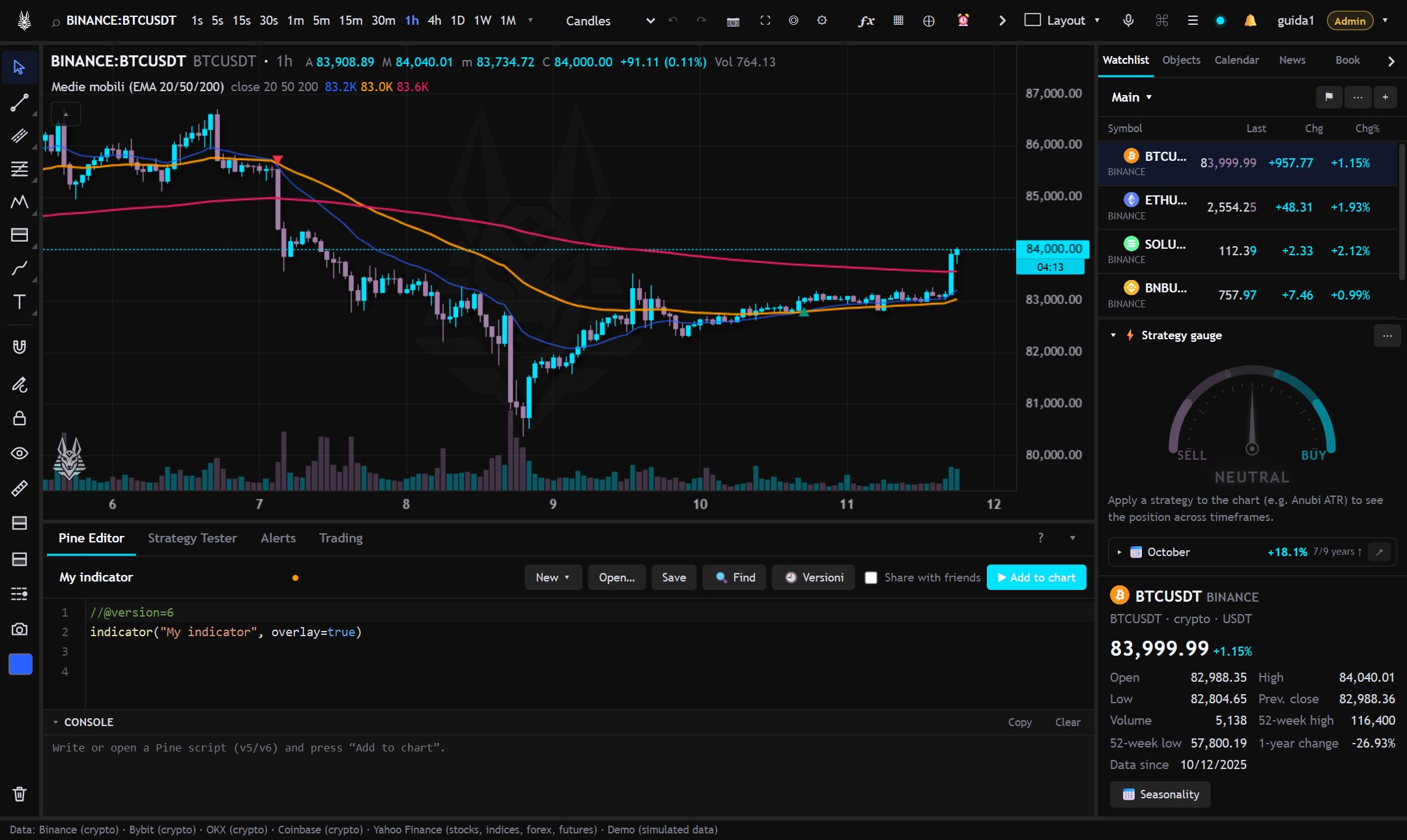
- Top bar: symbol, timeframe, chart type, indicators, alerts, screener, replay, layout and your account.
- Left bar: the drawing tools (Drawings).
- Bottom panel: Pine Editor, Strategy Tester, Alerts and Trading (paper trading). Drag its edge to resize it and use ▾ to collapse it (all panels).
- Right panel: Watchlist, Objects (drawing tree and data window), Calendar, News and Order book. ☰ shows or hides it.
Changing symbol and timeframe
With the chart active just start typing: a letter opens the symbol search, a digit opens the timeframe change (for example 4h and Enter). In the search, the symbols from your watchlists come first, with price and change, and the first one is completed in gray: with BTCUSDT, ETHUSDT and XRPUSDT in your list, X and Enter opens XRPUSDT; Tab (or →) accepts the completion. The ▾ button next to the timeframes shows the full list: the star adds them to the favorites on the bar, and you can create custom timeframes.
Symbols have the form PROVIDER:SYMBOL, for example BINANCE:BTCUSDT, BINANCE:BTCUSDT.P (perpetual future), BYBIT:…, OKX:…, COINBASE:…, YAHOO:AAPL for stocks, ETFs, indices, forex and futures. The active providers are listed at the bottom left. The timeframe is written as a number of minutes or with a letter: 30s, 15, 4h, 1d, 1w, 1M. Timeframes in seconds exist only where the provider allows them.
The command palette
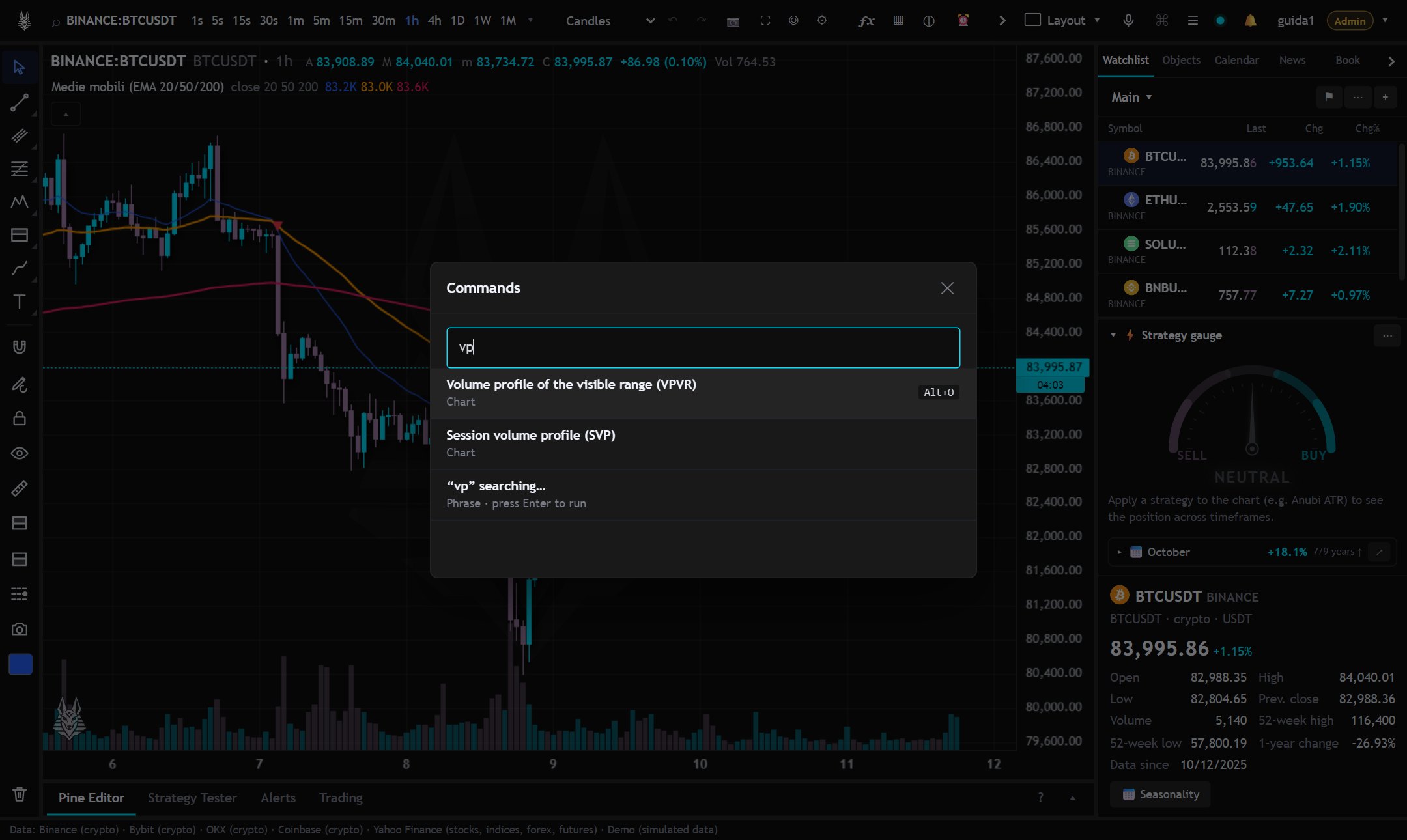
Ctrl+K opens the palette: type what you want to do (“log”, “vpvr”, “replay”, “alert”…) and press Enter. It contains every command in the app, including those without a button. ? shows the list of shortcuts.
Almost everything can be undone with Ctrl+Z and redone with Ctrl+Y (indicators, created or edited drawings, templates, symbol and timeframe changes).