The Pine Editor is the first tab of the bottom panel. You write in Pine Script v5 or v6, as on TradingView; v4 and v3 scripts work too, because they are converted automatically.
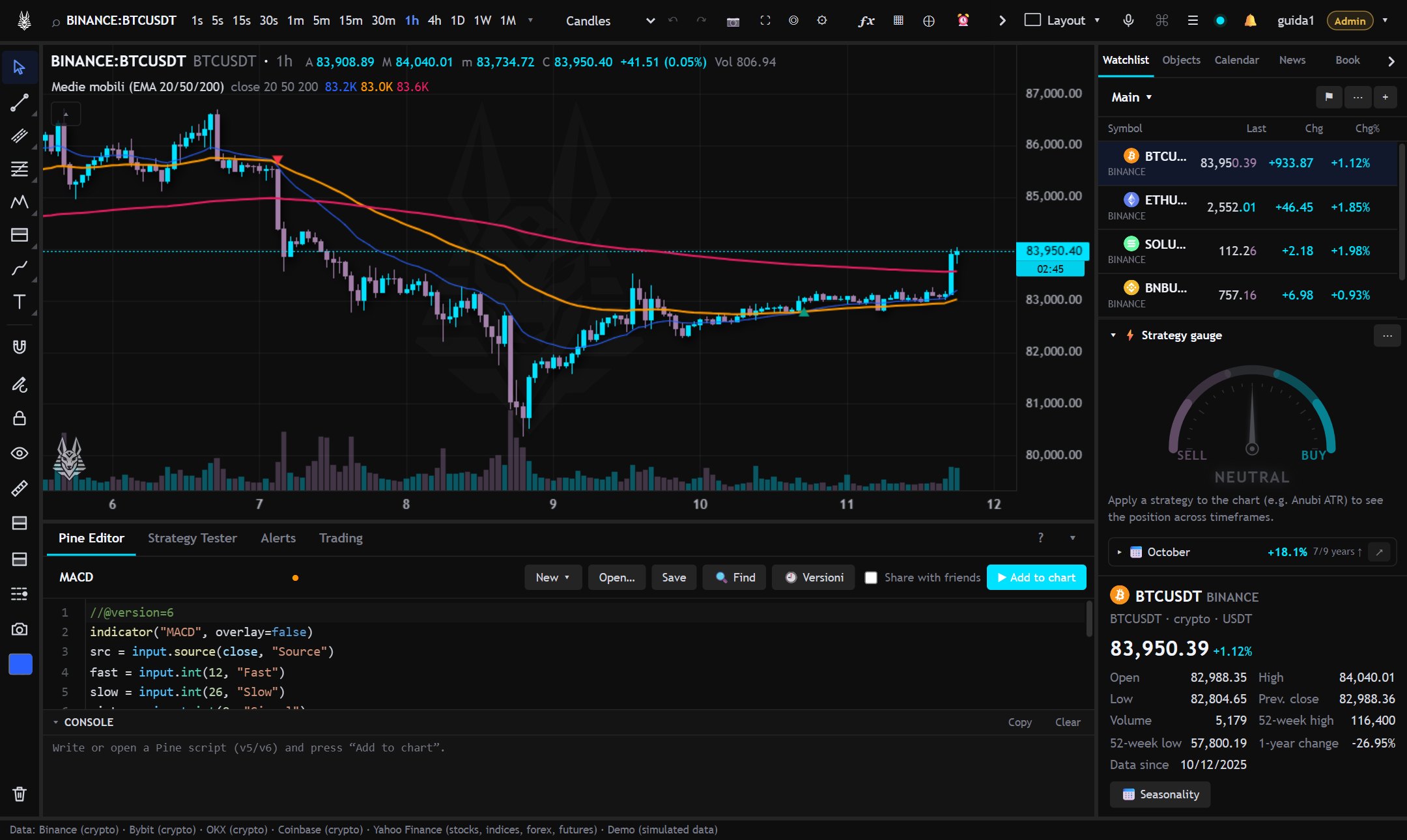
- Add to chart (Ctrl+Enter) runs the script; Save (Ctrl+S) puts it among “My scripts”.
- New ▾ starts from an empty indicator or strategy, or from an example; Open… loads a saved script.
- 🔍 Find: find Ctrl+F, replace Ctrl+H, go to line Ctrl+G; Ctrl+D selects the next occurrence.
- 🕘 Versions: previously saved versions, compared with the code in the editor; they can be reloaded.
Console
Under the editor, the console shows errors with the line number (a click jumps to the line), the messages from log.info(), log.warning() and log.error() and the calculation times.
Assistant: typing instead of dictating
The same voice commands for creating and editing scripts (“create a strategy that buys when the rsi falls below 30”, “modify the script adding a stop loss”, “fix the error”) can be typed: in the palette (Ctrl+K) a phrase that starts like that shows the “Assistant” row, or open “Assistant” from the palette for a window with more room (Ctrl+Enter to send). It needs the AI key on the server, as for voice.
Script cost hints
While you type, the editor flags with a dot next to the line number the spots that cost time or memory: loops that grow with the bars, very long ta.* windows, arrays that grow without being emptied, repeated calculations, statements that don't reach any plot, request.security. Hover the dot for the text and the fix (yellow = medium, red = high). “💡 hints” in the console header lists them, with a click to jump to the line.
Libraries
A script declared with library() and saved can be imported into others with import user/LibraryName/1 as lib. If the error is inside a library, the console says which library and at which line.
Differences from TradingView
- In v5
andandoralways evaluate both sides, in v6 they stop as soon as the result is decided, as on TradingView. - Functions that need data AnubiView doesn't have are missing (
request.financial,request.dividends,request.earnings,request.economic…): the console says which function and at which line.
To share a script or protect its code: Sharing and protecting scripts.