The Layout button at the top opens:
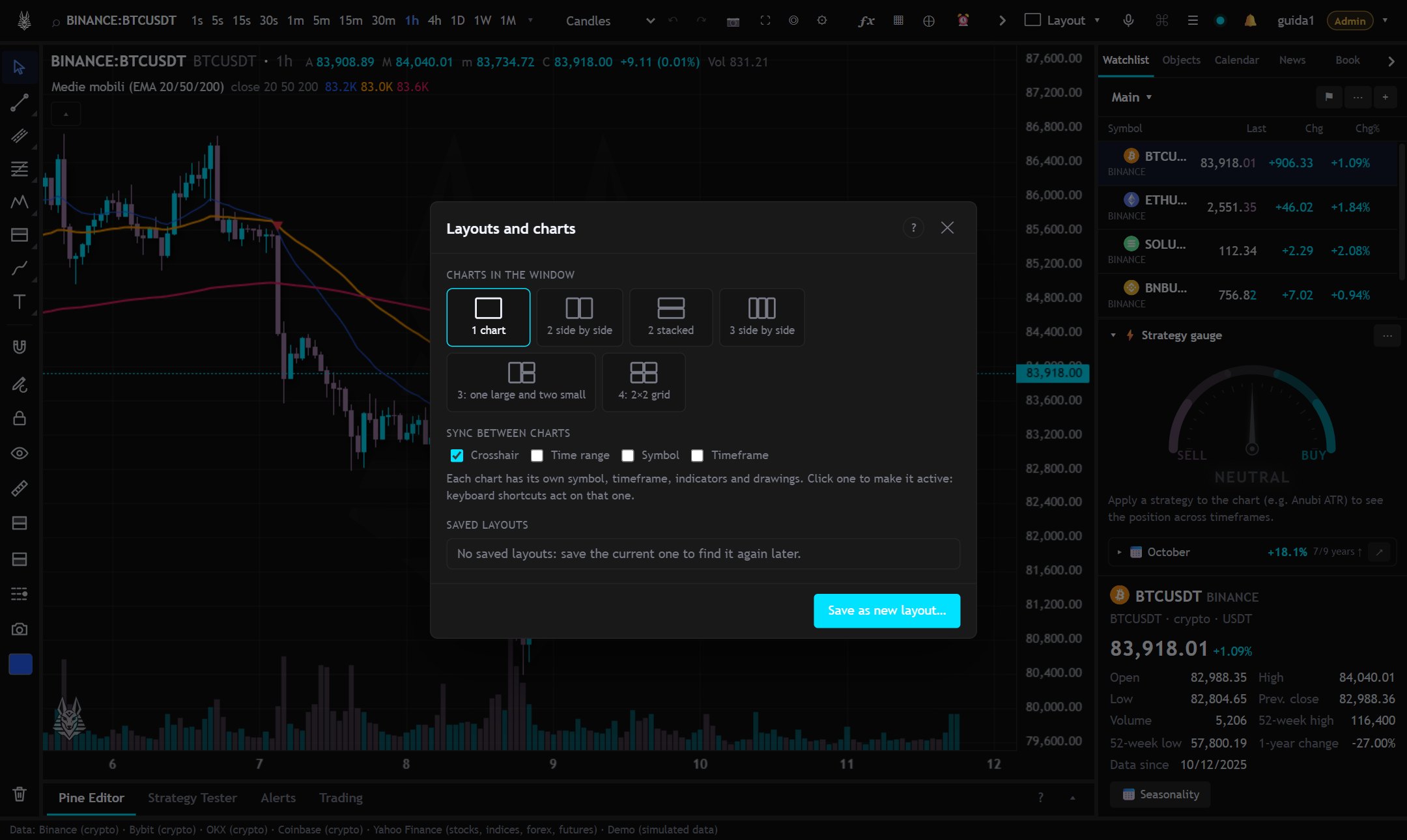
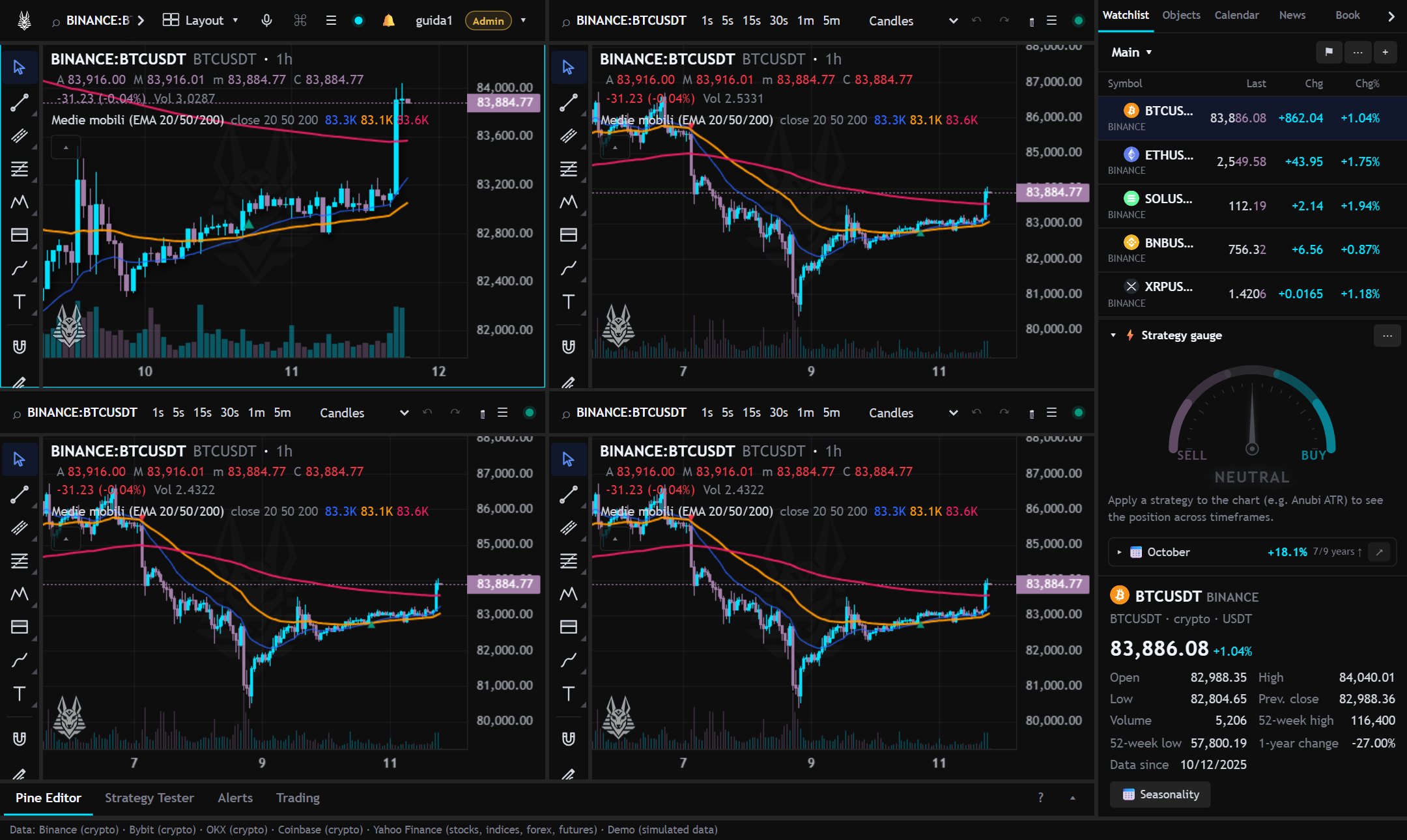
- Charts in the window: from 1 to 16 charts side by side (4 on the Free plan, 8 on Pro, 16 on Max; on a phone at most 4, stacked). Each has its own symbol, timeframe, indicators and drawings; a click makes it active.
- Sync: crosshair, time range, symbol and timeframe between the charts.
- Open in a new window: moves the chart to a separate window (for another monitor); windows in the same browser sync with the same options.
- Saved layouts: save the whole (charts, indicators, drawings, panels) to find it later. The open layout updates by itself; “Unlink” stops updating it. “Send” sends a copy to a friend.