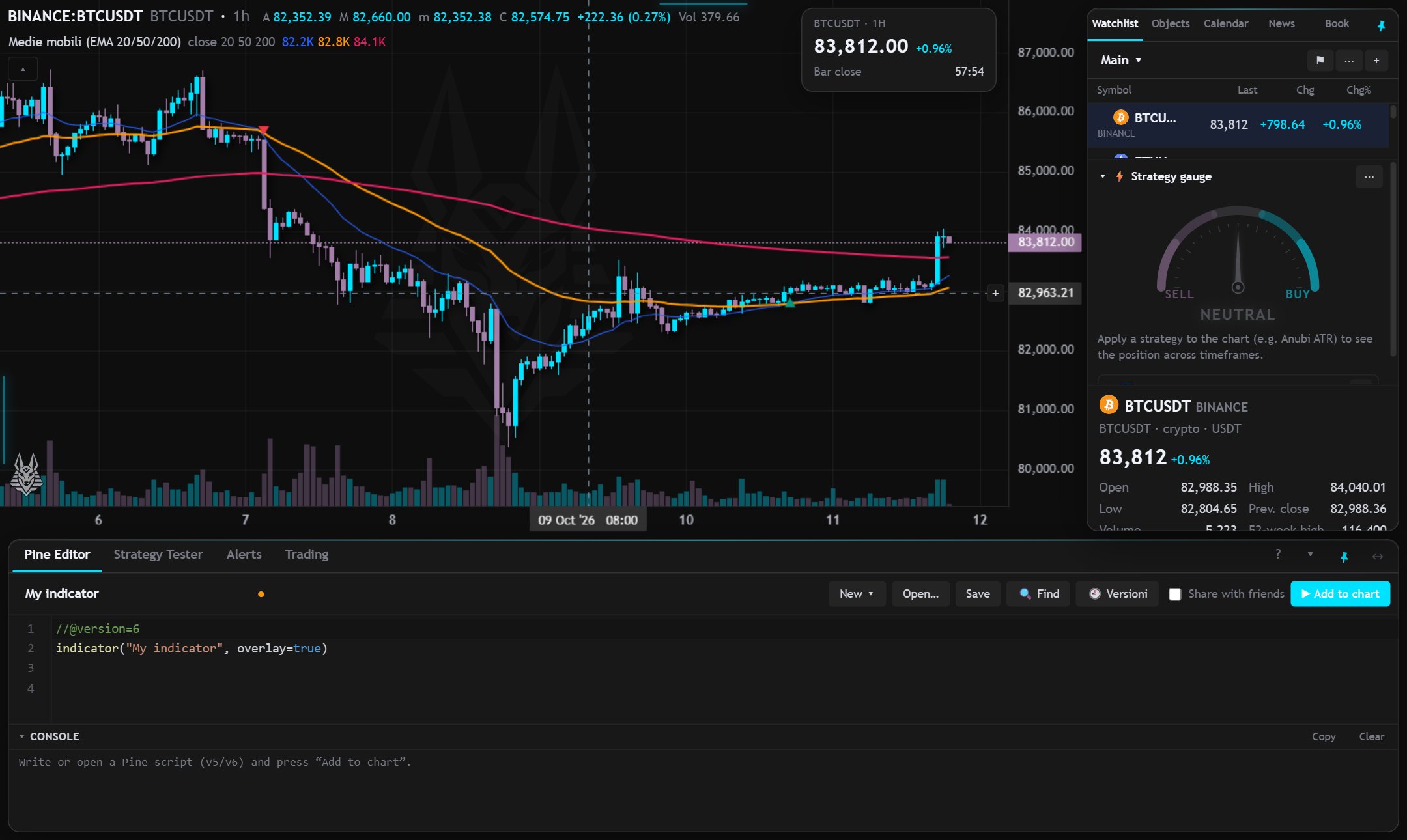
The screen is divided into the top bar, the drawing tools on the left, the chart, the bottom panel and the right panel. Each one can be widened, narrowed, collapsed or hidden, to leave the chart as much room as you need. Sizes and choices are saved.
Bottom panel
It holds the Pine Editor, Strategy Tester, Alerts and Trading tabs.
- Taller or shorter: drag the edge that separates it from the chart. The height is remembered (in your settings, so on your other devices too, and in saved layouts).
- Collapse: ▾ at the top right reduces it to the row of tabs only, ▴ reopens it. Clicking a tab also reopens it.
- In the editor the error console has its own draggable edge, to give more room to the code or to the messages.
- “?” in the bar opens the guide for the active tab.
Right panel
It holds Watchlist, Objects (drawing tree and data window), Calendar, News and Order book.
- Wider or narrower: drag the left edge; a double click on the edge restores the default width. The width is remembered on this device.
- Hide it: with the arrow at the top of the panel, with ☰ in the top bar, from the command palette (Ctrl+K) or by voice. You can also drag the edge all the way: below about 120 px it hides itself.
- Show it again: ☰, or the small button on the right edge of the window.
Indicator panes
Indicators that don't sit on the price have a pane of their own under the chart, with the legend at the top. From the legend you can:
- move the pane up or down, to change the order;
- maximize it: it takes all the space and the others are hidden; the same button restores it;
- resize it by dragging the separator between two panes. Heights stay saved, including in layouts.
More room for the chart
- Shift+F: full screen with the chart only.
- Shift+O: Horizon layout, with bars and panels as transparent islands that tuck away on their own.
Pinning and hiding islands (Horizon)
- The islands (bar, tools, right panel, bottom panel) tuck away on their own shortly after the mouse leaves them, and immediately with a click on an empty spot of the chart. They don't while you type, with a menu open or during a drag.
- You bring them back by holding the mouse on the window edge for a moment, or with a click on the glowing line that marks where an island is.
- The pin 📌 on each island pins it: it always stays visible and the chart leaves room for it instead of going under it. A second click lets it tuck away again.
- The bottom panel also has a button to stretch it to full width, to the sides of the window; a second click restores the previous width.
- The data card near the price scale closes with a right-click or Shift+I (which reopens it).
- Pins are saved and the same in all charts of the grid.
On a phone
- ☰ opens the right panel over the chart and ✎ the drawing tools; they close by tapping the chart.
- The glowing line at the bottom hides or shows the bars; the chart fills the whole screen.