AnubiView's look has two independent parts: the theme, meaning the colors (background, up and down candles, interface), and the shape, meaning how the panels are built and drawn. You choose them in Chart settings (⚙, or right-click on the chart) → Themes.
Choosing theme and shape
- Every theme suggests a shape, which you can change right after: colors and shape combine as you like.
- What you pick is shown live, before saving. OK keeps it, Cancel goes back to how it was, Reset brings everything back to “Classic” with the default settings.
- The starting theme for new users is Anubi (black background #0E0E0F, cyan up candles and purple down candles). Classic restores the TradingView colors.
- Changing theme only changes the colors: grid, volume, scale and the other chart options stay as you set them.
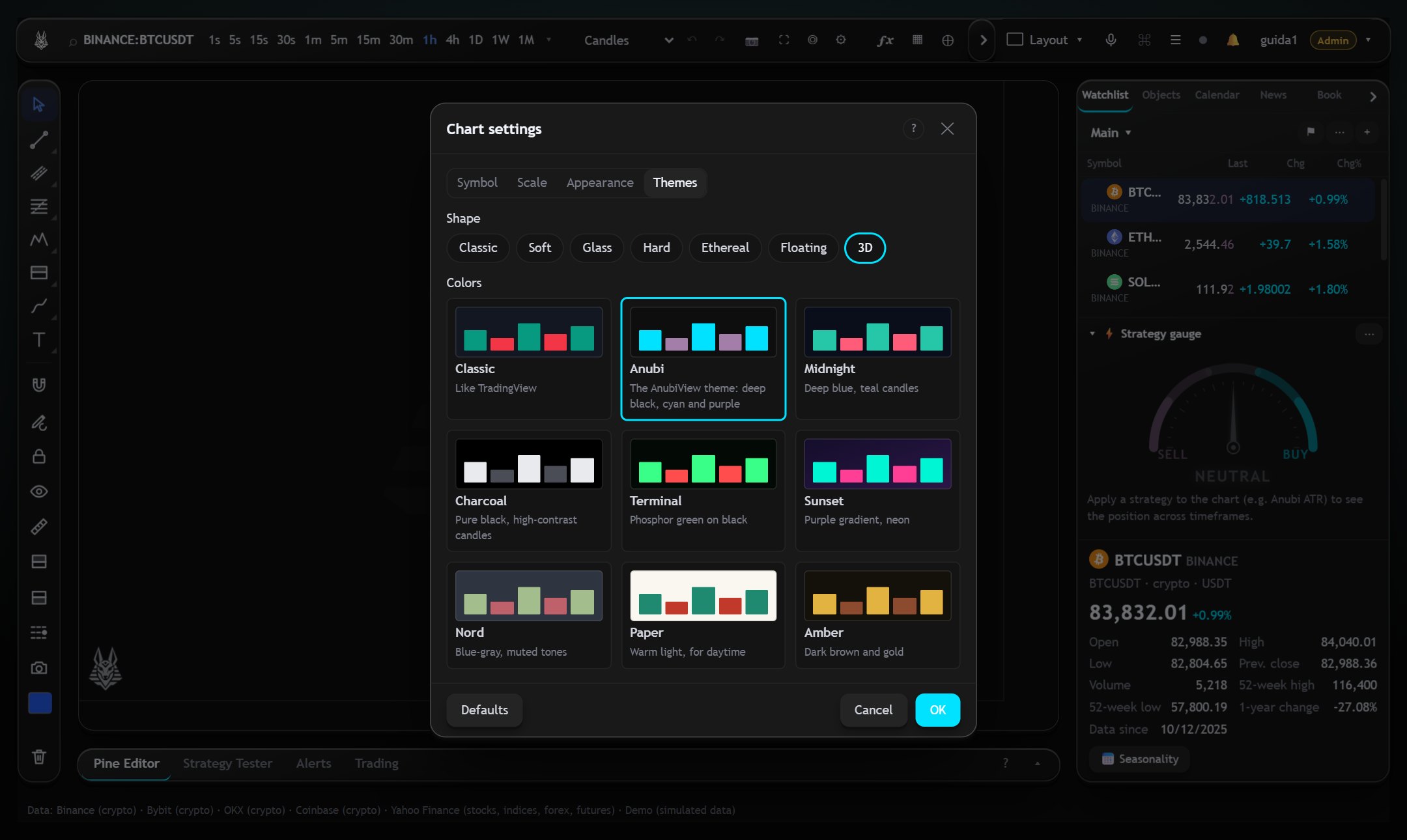
The seven shapes
| Classic | side-by-side panels separated by a thin gray frame, as on TradingView |
| Soft | tabs with rounded corners and light shadows, with a little space between panels |
| Glass | semi-transparent panels with background blur |
| Hard | sharp edges and solid shadows |
| Ethereal | aurora effect, glows and pill-shaped buttons |
| Floating | tabs raised from the background that sway gently |
| 3D | slabs with thickness and perspective: panels tilt slightly toward the mouse |
Where they apply
- From 901 px of width up, in both the classic tabbed layout and the Horizon layout, where shapes apply to the islands. On a phone (even in landscape) the chart stays full screen, with no borders.
- The chart itself is never transformed or tilted, in any shape, so it stays easy to read.
- The secondary charts of the grid don't apply the theme and shape yet.
Candles and motion
On the candlestick chart two shapes also change the candles (not when they are very dense). In 3D each candle is extruded by a few pixels, with a light top face, a dark side and a sharp outline; the wicks stay flat. In Floating the candles breathe: a solid body of the same color widens and narrows by a couple of pixels behind each one, out of phase with the others.
- With “reduce motion” on in your operating system the animations stay still.
- While you type or scroll the chart, the breathing, floating and tilting animations pause on their own and resume shortly after, so the chart stays smooth even with many indicators.
- If your computer struggles, 3D and Floating are the heaviest shapes: the others have no continuous animation.
Free and Pro plans
Every plan can change the colors with themes. Shapes and 3D candles are included in the Pro plan; on the Free plan you can try them for 30 seconds from the Themes window, then it goes back to Classic (a shape you only tried is not saved).